 RECOMMENDED
Splitsgate.exe
Automatically finds Splitgate 1 or Splitgate 2. This is the right choice for almost everyone.
Splitsgate
Built by racers, for racers
Splitsgate is a tool built by and for the Splitgate race community. It tracks your timer, ball splits, deltas, and personal bests in both Splitgate games.
Windows 10/11 · latest release zip
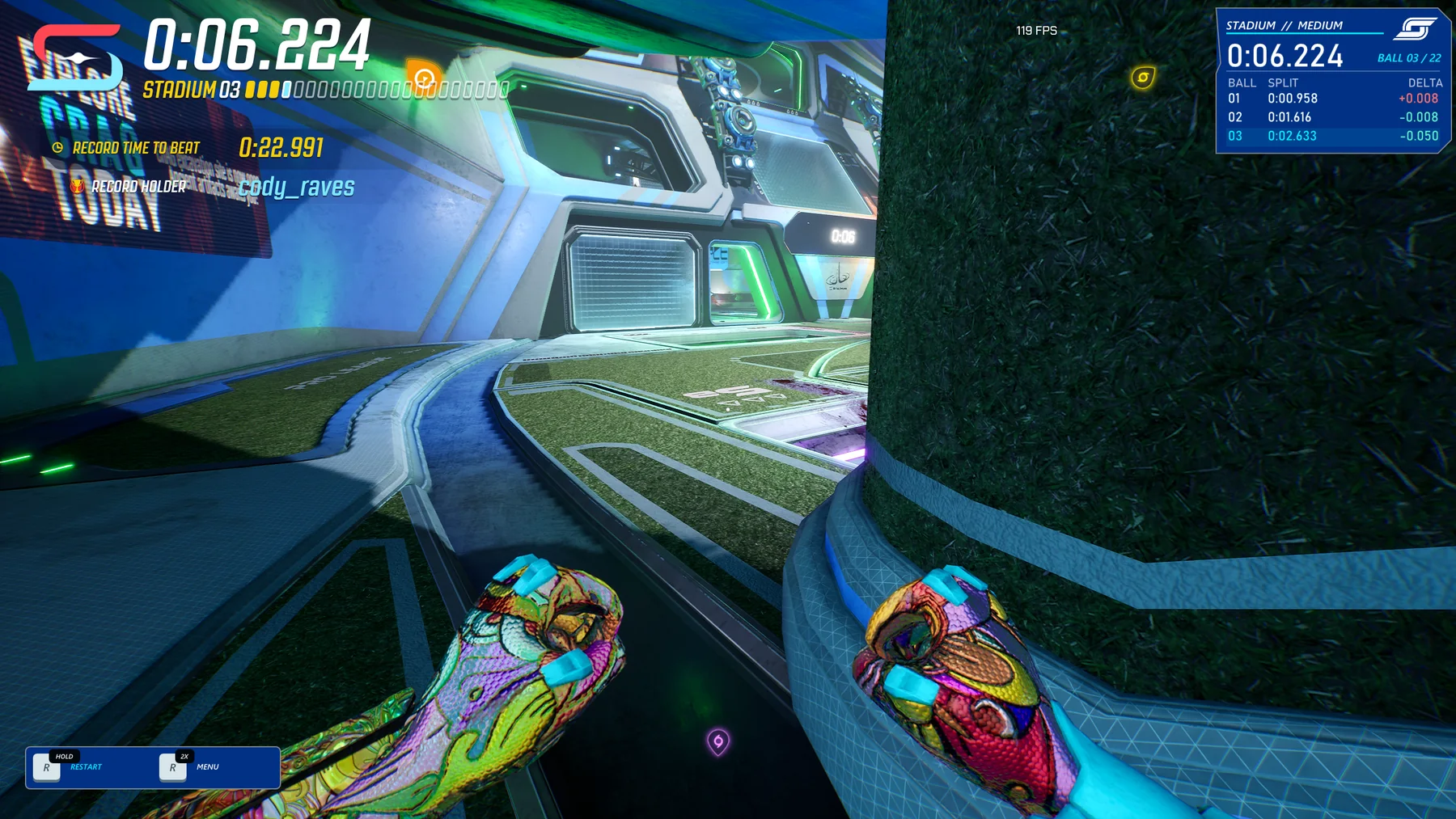
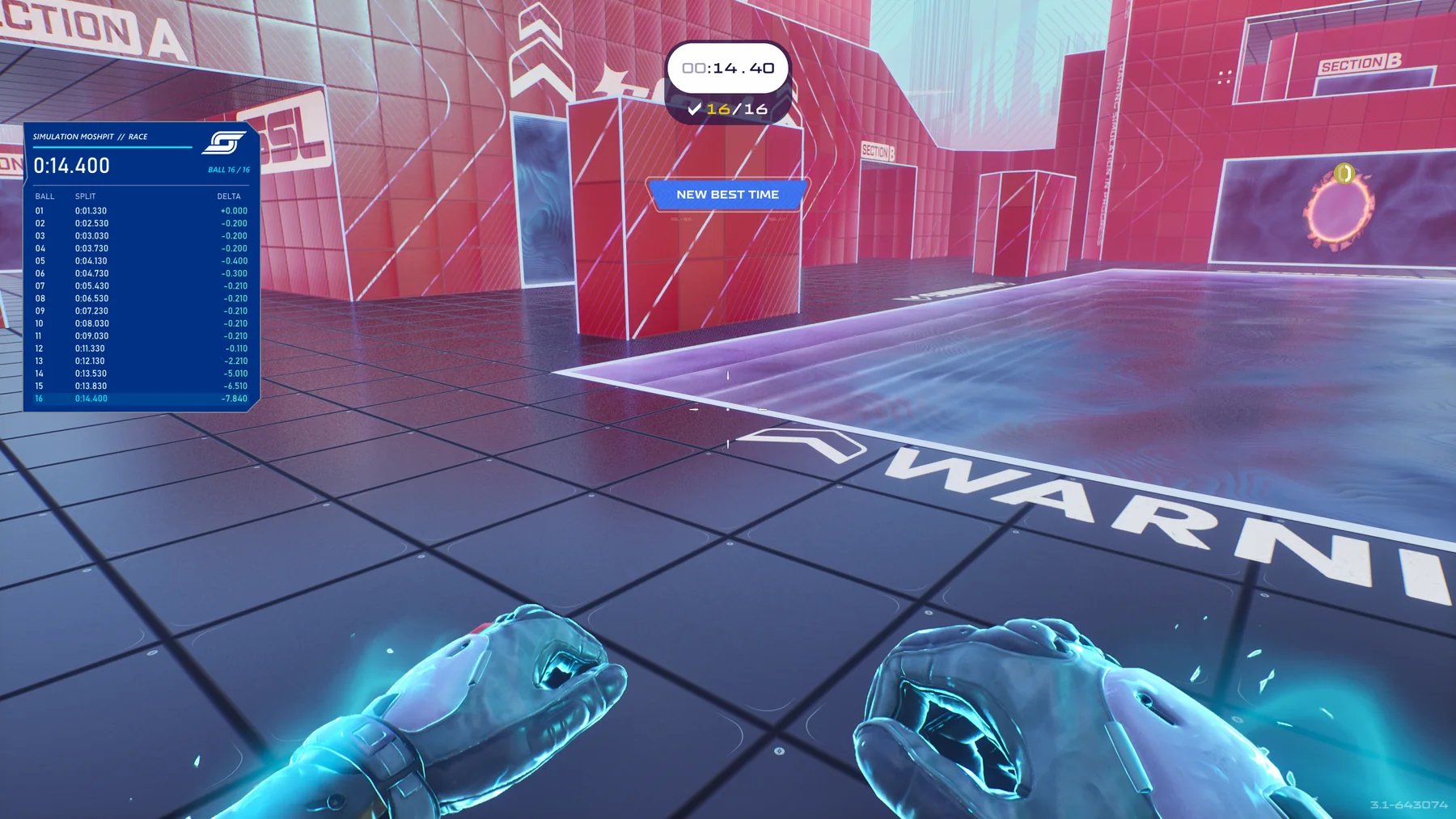
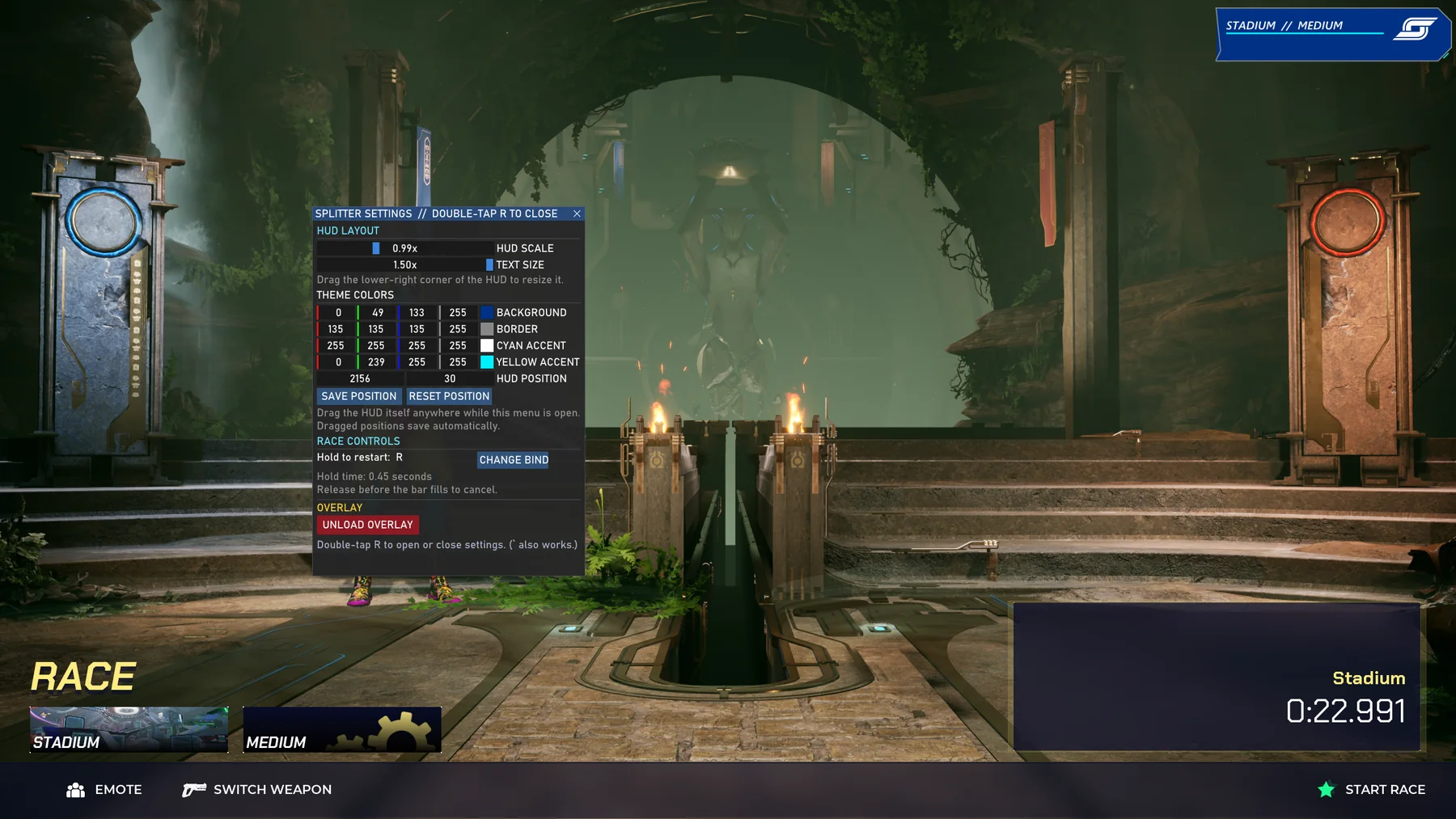
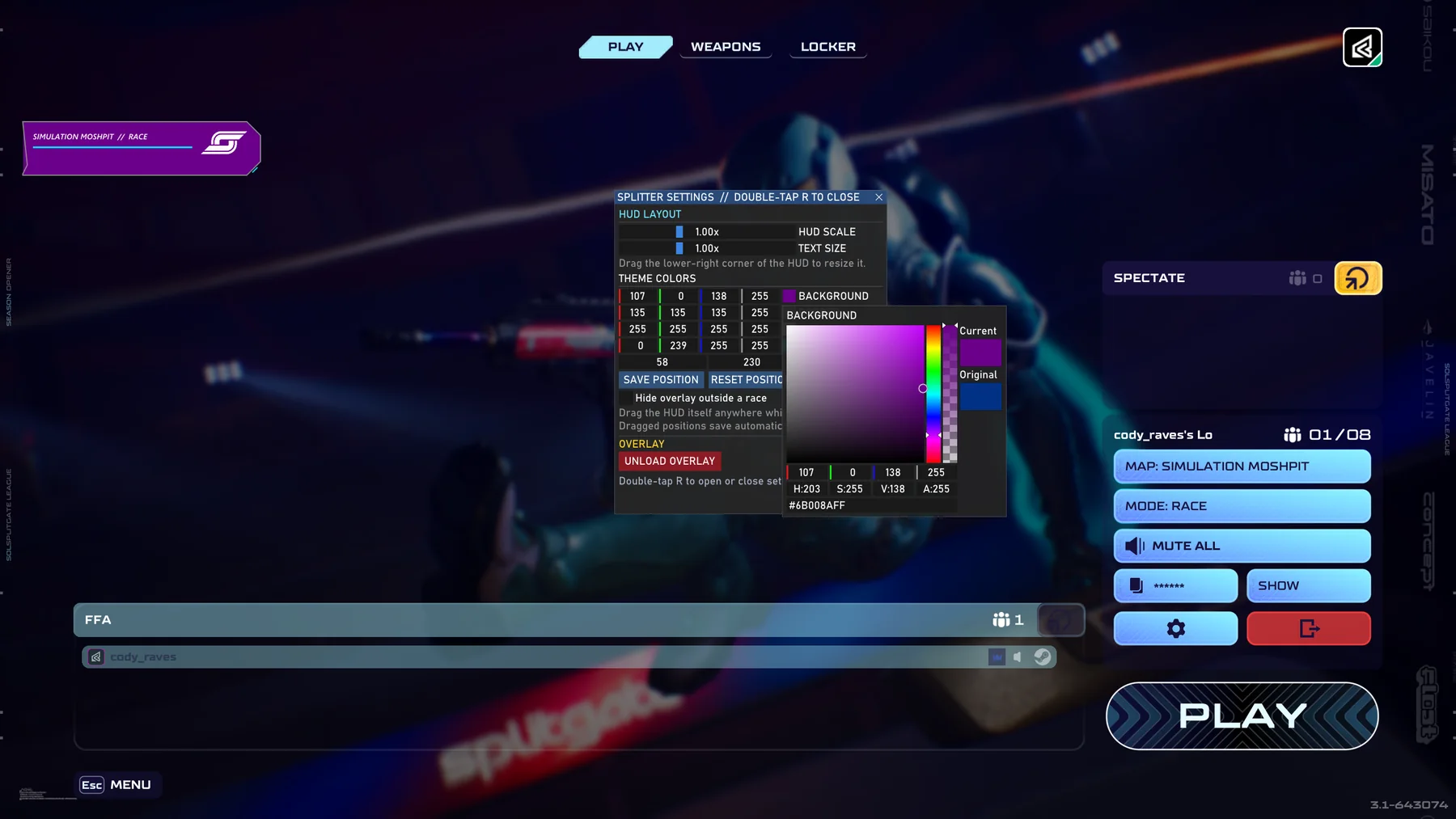
Real in-game screenshots
These are real captures from community testing—not concept art. The overlay stays readable while keeping the course and the game’s own HUD visible.
Simple community setup guide
You do not need to install a mod manager, move a DLL, or edit a config file.
SPLITGATEStart the game and wait for the menu.
Splitsgate.exeDouble-clickInside the zip
RECOMMENDEDAutomatically finds Splitgate 1 or Splitgate 2. This is the right choice for almost everyone.
01Only looks for the original Splitgate. Useful if both games happen to be open.
02Only looks for Splitgate 2. It uses the same settings and PB storage.
In-game controls
Hold R until the small progress bar fills. Release early to cancel.
Tap R twice quickly to move, resize, recolor, or unload the HUD.
Your data
The launcher is one downloadable EXE, but your writable personal-best and settings files live safely in your Windows profile.
%LOCALAPPDATA%\Splitsgate\RuntimeQuick fixes
Make sure the game is already running, then open the launcher again. Use the dual Splitsgate.exe unless you have a specific reason not to.
On launch, Splitsgate checks GitHub. If you approve a new version, it downloads the matching EXE, replaces itself, relaunches, and then loads the HUD. It never interrupts a race.
Press End in-game, or double-tap R and choose Unload Overlay. Closing the game also unloads it.
Open an issue on GitHub Issues and include the game, map, difficulty, and a screenshot.
Built for the race community